Yay, FINALLY four weeks after ordering it, my Pivo arrived! The plus side of it having taken a while to get here is that I had a lot of time to peruse the Pivo facebook group, which helped me learn a lot about how it works and gave me some good tips in advance. If you have a Pivo or are thinking about purchasing one, join this group and spend some time looking at other people’s videos and troubleshooting. I would not have had nearly as much success with mine right off the bat if I hadn’t. Knowing how the technology works is SO IMPORTANT.
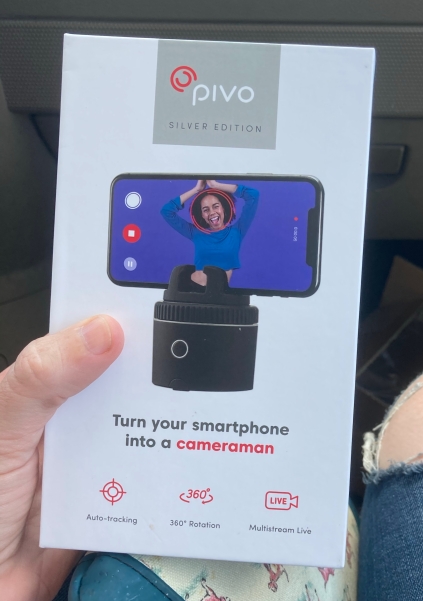
So what is a Pivo? It’s a relatively simple device, really, just a little rotating pod that your phone sets on top of. The pod syncs via Bluetooth to the Pivo App on your phone, and the app and the pod work together to make their magic. The app records the videos on your phone and saves them to your gallery. There are currently two Pivo pod options – the original Red Pivo and the newer Silver Pivo. The only difference is that the Silver can move twice as fast as the Red. It’s a little bit more expensive, but I opted for the Silver and I’m already glad I did. Originally the Pivo didn’t have any zoom capability, only turning, and the Red could keep up with a horse just fine in canter. But as of last week the new software update includes a brand spanking new Auto Zoom feature, and people with Silvers are having fewer problems especially at the canter. Sometimes the Red can’t quite keep up when it’s zooming at speed.
Before I get into my own thoughts on the Pivo’s performance, let’s talk about how the actual software works.
There is no “tag” or tracker that the pod is syncing with in order to follow you, it’s tracking capability is completely software based. The software is looking for two main things in particular: shape and contrast. There are 3 shooting modes for the Pivo: face, body, and horse… obviously the horse mode was designed for horse tracking, and when it’s in this mode it’s basically looking for the rectangular shape of a horse. In order to find and successfully track said rectangular shape, first it needs to be able to clearly see it. This means that you need some contrast. Take into account your arena color, background color, and horse color. If everything is light, you need to add some kind of contrast, maybe a colored or dark pad/boots. If everything is dark, think about adding something bright or light to contrast, like a white pad or white boots (the Pivo also seems to really like high-viz neon pink). Important item #1: the software has to be able to clearly see you in order to track you.

As for the shape, as I said it’s looking for that rectangular horse shape. Because of this, Pivo recommends placing the pod in the center of the arena (ie at X). When the horse is coming directly towards or traveling directly away from the camera, it’s no longer in that rectangular shape that it recognizes as being a horse, and the software is more likely to lose you in those moments, especially if they’re prolonged for more than a few seconds. Same goes for if you get too close – it can lose the shape. In the facebook group some people have had success with placing their Pivo’s at E or B, just outside of the arena, but it’s definitely a little bit more finicky with that placement. There is also some distance limitation here: it will lose you once the horse is less than about 10% of the screen, so it’s really meant for an area more like dressage arena size or maybe up to 60m x 60m square. It’s probably going to struggle to see you beyond that distance.
Also keep in mind that due to how the software works, it will have problems staying locked on you if there are multiple horses in the ring. Sometimes it seems to struggle if you have a lot of jumps in the ring or a lot of varied lighting (lots of shadows/bright spots/trees) as well. If you think of it from the software’s perspective with regards to what it’s looking for – shape and contrast – that makes sense. So, 1) understand the software, 2) keep your environment in mind.

This isn’t a $1,000 SoloShot or Pixio, it’s a $100-140 pod that syncs with your phone and follows you around as best it can. If you’re expecting SoloShot or Pixio performance, you’ll likely be disappointed. But if you want a budget friendly gadget with quick and easy set-up that will help you get some video for training purposes or for social media, your expectations are in the right place.
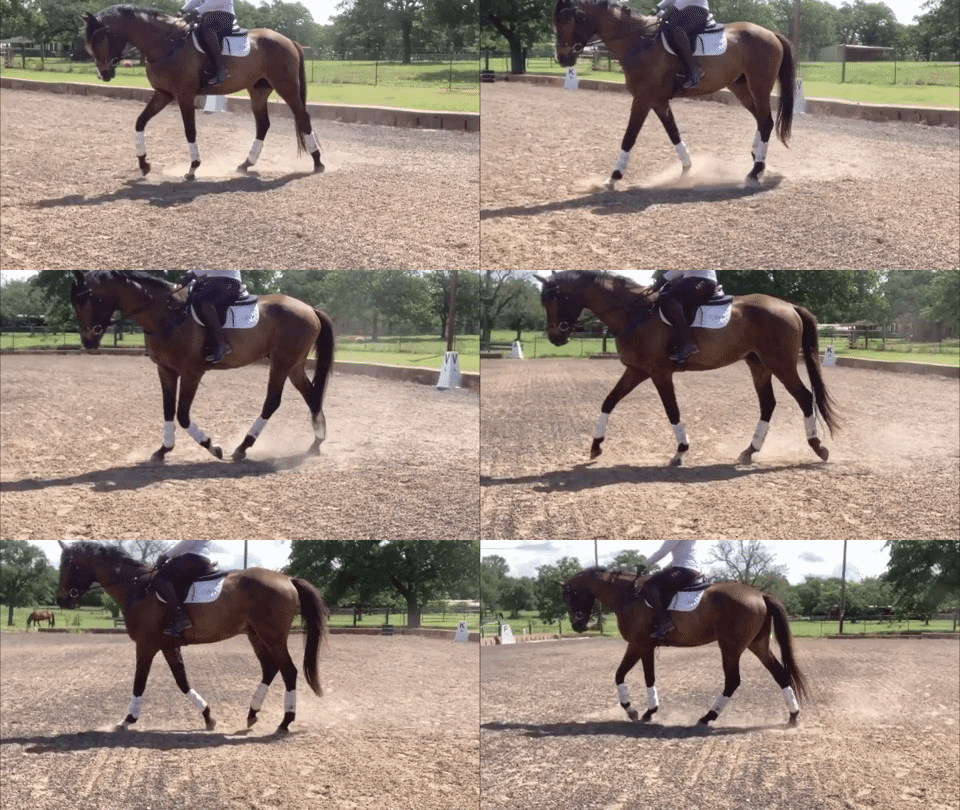
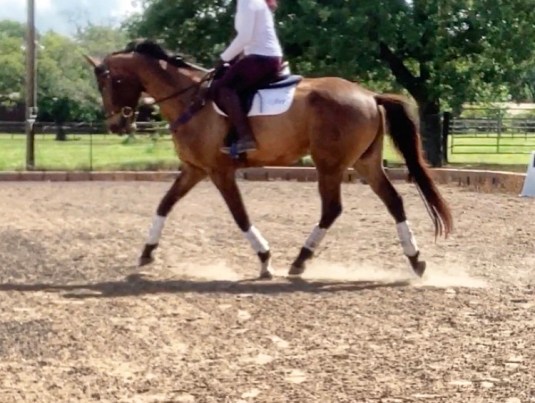
With all of these things in mind, before I even got my Pivo I knew that I should put some light colored stuff on me/Presto. Our arena footing is fairly light, but in some places the background is bright whereas in other places it’s dark. In the bright areas Presto himself would be good contrast, but in the dark areas I wanted to make sure there was something bright for it to “see”, so I wore a white shirt, put on his white saddle pad, and borrowed Henry’s white cross country boots. I placed the Pivo at X in our dressage arena on a tripod. You can set it on a barrel or a jump standard as well, plenty of people seem to have success with that, but a tripod is what’s recommended due to the height and stability. You can get one on amazon (even with a built-in level if you wanna get fancy) for under $20, so not a big deal to buy one. Pivo recommends that the pod be at the same height as the horse, not too low to the ground. Again, this has to do with the software reading the shape of the horse.
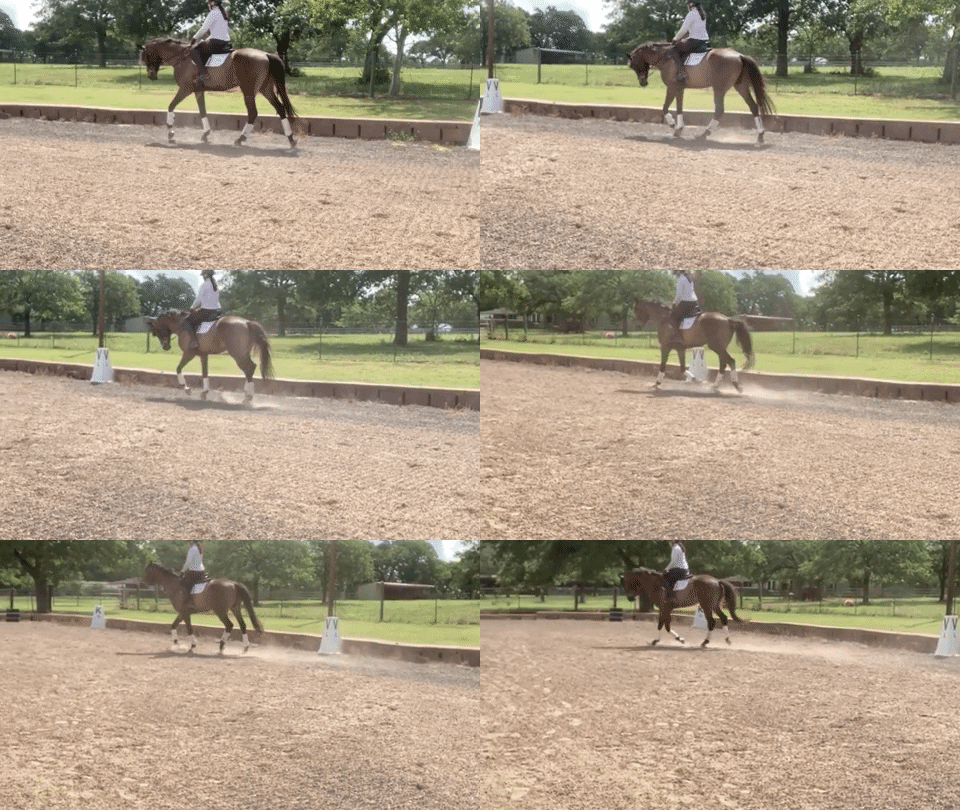
Ok, SO… how did it work? As you saw from yesterdays post, pretty darn well for a first try.
I would recommend actually reading through the app’s initial tutorial (don’t just swipe it away) so you understand how to access all the screens and settings. I also think its a good idea to sync it up and play with it a little bit at home first to familiarize yourself with the settings and how to change them before you’re standing in an arena holding a horse and trying to squint at the screen to figure it out.
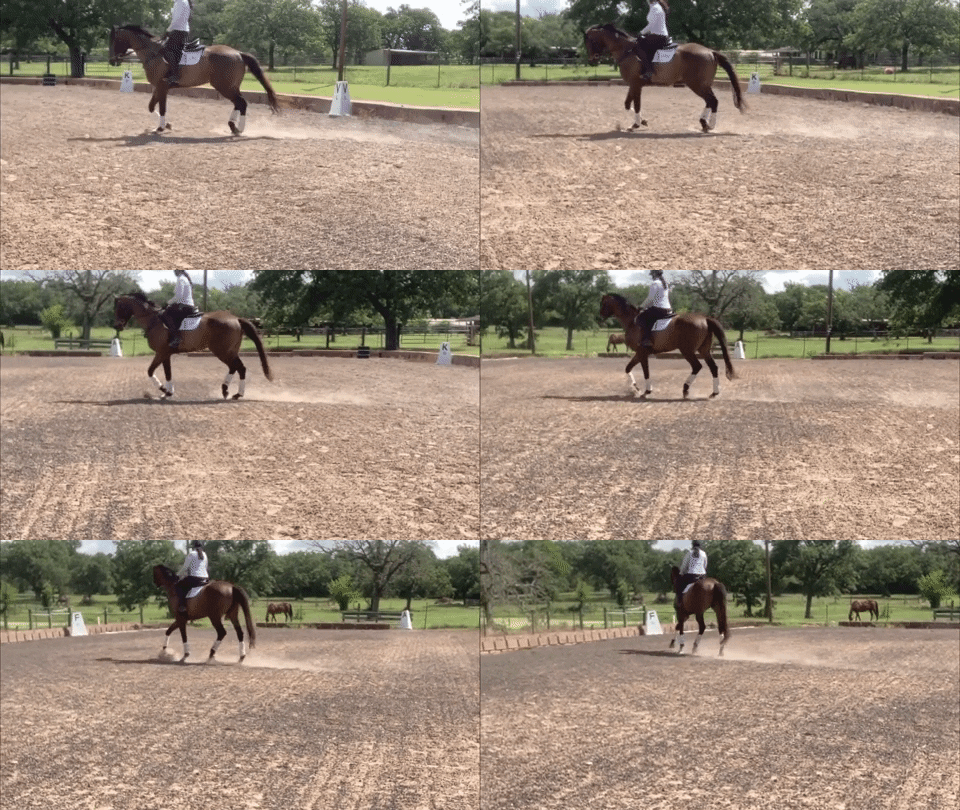
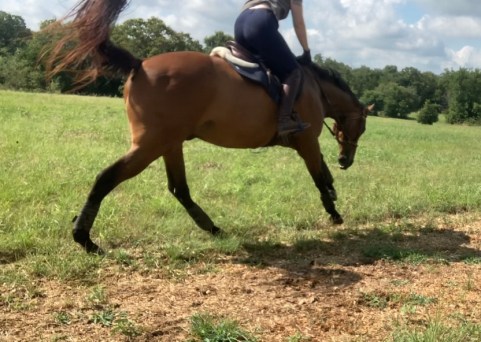
As for actual usage, it was very quick and easy to set up. Put the tripod at X, put the Pivo on top, turn it on, pair the app to the Pivo, select my settings, put the phone in the pod, and voila. It took all of a minute, which is a big selling point to me with a young distractable wiggly horse. I did make a couple of mistakes out of the box, though. 1. I underestimated how tall Presto and I are together. I had the tripod at about stirrup height, but in reality I think it would be better at saddle pad height. The Pivo doesn’t have an “up/down” tilt or pivot ability, only left/right. Having it a bit too low put me in the very top of the shot the entire time, so it’s something I need to be more aware of next time and raise it probably 6″ or so. 2. I also need to make sure the tripod itself is totally level. Admittedly I didn’t check this, and I think that’s also contributing to my framing issue.
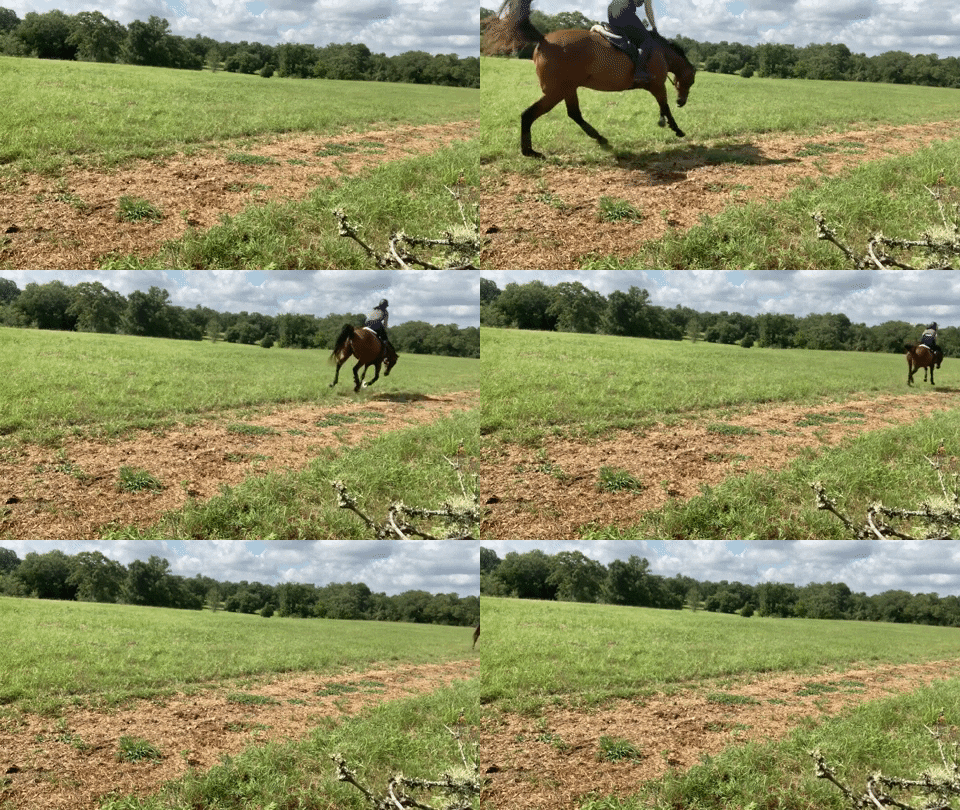
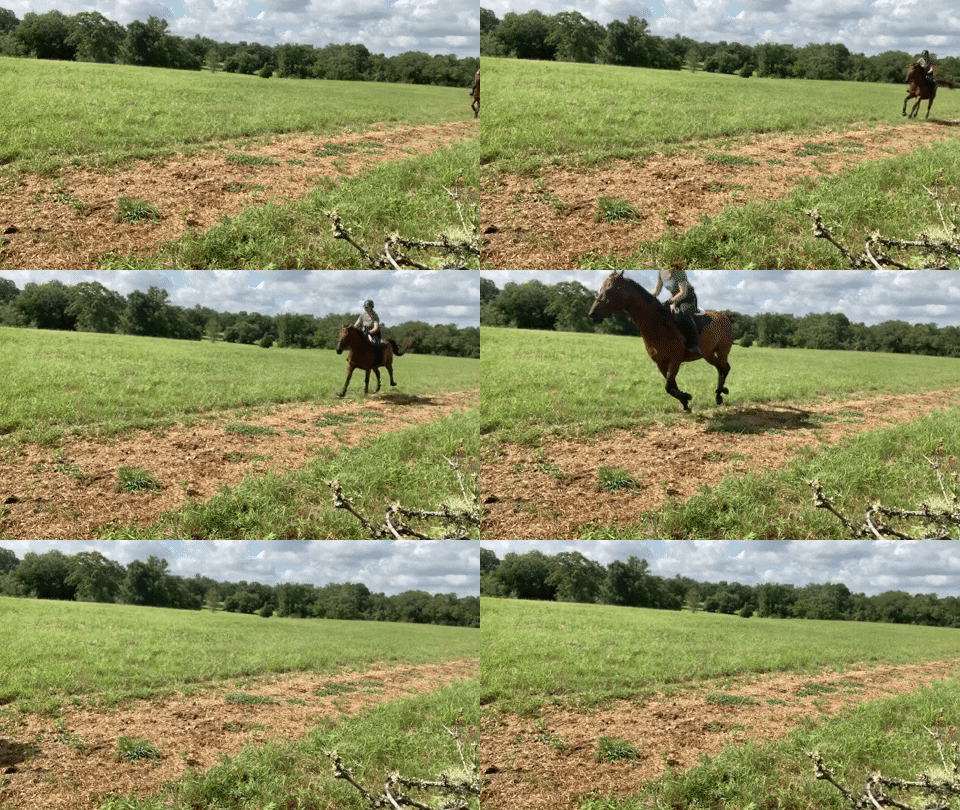
Otherwise I didn’t really have any major problems. At no point did the Pivo lose me completely, I was never totally out of the frame during the entire 20 minute ride. There were times when I changed directions or circled and Presto ended up “head on” or “butt on” with the camera and it lost the rectangular shape for a few seconds, but it always recognized him again as soon as we got more parallel and before we left the frame.
As I mentioned, the auto zoom is a totally new feature in it’s first release, and I think it needs a little bit more tweaking. I’m REALLY excited to have it at all, it’s already a huge improvement from before with no automatic zooming capability, but it does seem a bit slow to zoom back out once it’s zoomed all the way in. I think they already know this and are working on it.
I’m pretty excited about this little gadget and think it will be invaluable in getting footage of Presto both for my own purposes and for his vlogs. That’s what I wanted it for and my first impression is that it’ll suit that purpose just fine One ride in and I’ve already got GIF’s and screenshots for the blog and sent some video to my trainer.
So overall, here’s what I would say so far if you’re thinking about buying:
- Have realistic expectations. Know what the Pivo can do and what it can’t do. Figure out if it will suit your needs.
- If you order one, I definitely recommend the Silver. The Red seems to do just fine, but with some of the updates they have planned I think the Silver is going to perform better overall in the long run.
- Please for the love of all that is holy, join the facebook group. I can’t stress this enough. There are a lot of people on there with great advice that have already been using theirs for a while, you can learn from other people’s trials and tribulations. There’s even an actual Pivo rep in there helping with troubleshooting. If you have any issues you can upload a video of the problem and they’ll help. This is some of the best support I’ve seen for ANY gadget. There are also a lot of good videos on youtube that talk about the different settings so you can see what other people are using.
- Take some time to learn how the software works and how it “sees”. This will set you up for success instead of frustration.
Right now I would say that if you’re looking for something that can reliably shoot an entire dressage test from C for virtual shows, this is not your tool. You probably need a SoloShot. Pivo is working towards that goal in the future, but it’s not there yet. It might work somehow for lessons, I know they’ve added a Live Stream feature recently but I haven’t paid much attention to that. I would check the group for more details on if/how well that works if it’s a need for you. If you want something to record a full jump course, I also don’t think this is your tool yet either. People have had success recording a couple of fences (with the horse traveling parallel to the Pivo, so like if you just jumped in a circle or oval it would probably be fine) but it’s just not realistic to expect it to shoot a full jump course the way a human being does. However, if you’re someone who is often riding alone and wants something that can be your “eyes on the ground” and provide social media content… the Pivo could definitely suit your needs.
The big benefit of the Pivo being software based is that it means with every release you get the latest and greatest updates, you don’t have to go buy a newer fancier unit to get newer fancier functionality. Pivo also seems actively dedicated to improving the performance of the pod specifically for equestrian use, releasing new features pretty regularly. They are listening to the feedback.
I took some clips from Sunday’s ride and kind of talked through how the software was working in a few different places and with different things. Keep in mind these are mostly the more “problematic” areas of the entire video, so you’re seeing the worst things it did and why I think they happened based on what I’ve learned so far.
As you can see, even with a few little issues (and my own setup mistakes) it still did a really good job. 20 minutes of footage with my horse easily visible in the frame is a hell of an improvement from what we had before without the Pivo. Next time I’ll raise and fix my tripod and hopefully that’ll make it even better. First impression though? Really positive! The reviews and experiences in the facebook group are pretty mixed, so admittedly my expectations were not that of perfection. The software can definitely be a little particular and how you need to use it can vary depending on your own particular circumstances or even different conditions from day to day. But if you’re willing to do a little bit of learning and keep your expectations appropriate for the price point, I think it could be a great tool to have in your toolbox. I’m pretty excited about it!







 breedrideevent.com